Compare Google Document AI alternatives - which IDP platform is right for you?
Why customers love Affinda
Google Document AI vs Affinda
| Feature | Description | Affinda | Google Document AI |
|---|---|---|---|
| Models and learning | |||
| LLM+ | Combines LLMs with RAG to deliver higher accuracy. | ✔ | ❌ |
| Instant learning | User corrections immediately improve future documents. | ✔ | ❌ |
| Document splitting and classification | Automatically separate files and classify incoming documents. | ✔ | ✔ |
| Complex tables and line items | Effectively handles complex simple and complex table structures. | ✔ | ✔ |
| Redaction | Remove sensitive content from PDFs. | ✔ | ❌ |
| Validation and governance | |||
| Natural language validation rules | Simply describe the rule and the platform applies it to the data. | ✔ | ❌ |
| Mapping to master data | Validate fields against the data in your system(s). | ✔ | ❌ |
| Human-in-the-loop validation interface | Users review exceptions using an intuitive UI. | ✔ | ✔ |
| Auditability and rule visibility | Every decision traceable for compliance. | ✔ | ✔ |
| Integration | |||
| No-code Agent | Chat to the Agent to create working integration code. | ✔ | ❌ |
| Comprehensive developer documentation | REST API model with quick starts, client libraries and developer tools. | ✔ | ✔ |
| Support and security | |||
| Affinda Academy | Guided tutorials, best practices and how-to’s. | ✔ | ❌ |
| AI Assistant | In-app assistant to help users through setup and configuration. | ✔ | ❌ |
| Compliant with global information security standards | ISO 27001:2022 certified and SOC 2 Type 2 and GDPR compliant. | ✔ | ✔ |
| Regional deployment options | Keep data in preferred regions or environments. | ✔ | ✔ |
| Pricing | |||
| Transparent, usage-based pricing | Clear consumption pricing, start small then scale. | ✔ | ✔ |
| Free trial | Test real documents before committing, no sales calls required. | ✔ | ❌ |
Last updated: 28/11/2025

Compare Google Document AI and Affinda

Download the Deep Analysis vendor report about Affinda
Why Affinda is the best intelligent document processing platform
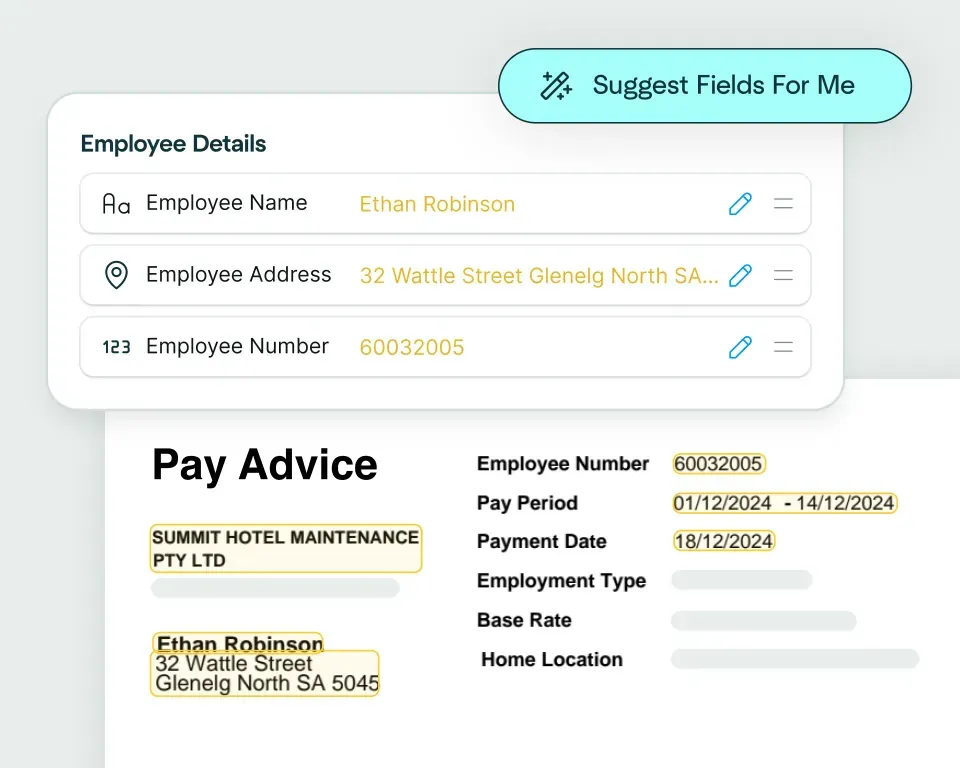
Create models in seconds
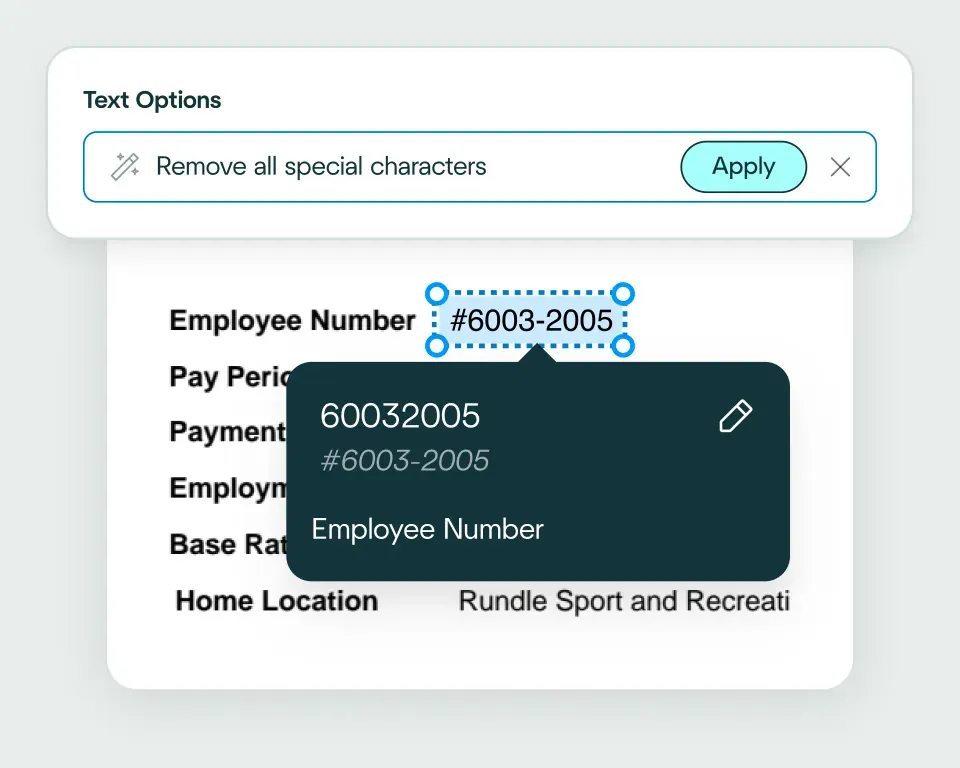
Validate and transform data
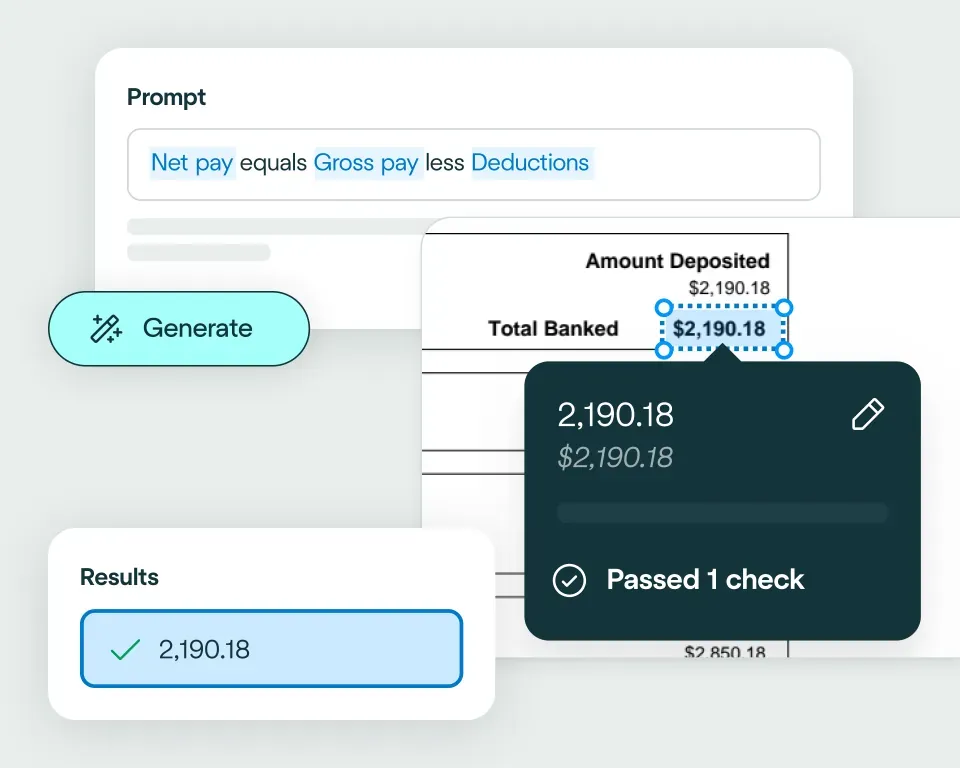
Apply your business logic
Pathway 1: Use our AI Integrations Agent
Pathway 2: Write your own code
No need to talk to sales. Get started now
Sign up for free
Upload documents
See the magic

Frequently asked questions
What are the top alternatives to Google Document AI for document extraction?
Google Document AI is often evaluated alongside a range of document extraction and intelligent document processing platforms that aim to automate OCR, form parsing, classification and data extraction. Solutions such as Hyperscience, Rossum, Nanonets, Docsumo, Docparser and other OCR-plus-AI tools are commonly considered, as well as general-purpose AI models and developer-centric OCR libraries. Each offers different trade-offs around setup time, flexibility, template configuration and adaptability to diverse document types.
Affinda distinguishes itself among these alternatives by delivering a document-first AI platform that extracts information from any document with industry-leading accuracy, adapts immediately from user interactions and can be deployed in minutes rather than weeks. For organizations that need a solution capable of handling varied, inconsistent or high-volume documents without heavy configuration, Affinda provides a faster, more flexible and more scalable path to automation.
What makes Affinda a strong alternative to Google Document AI?
Google Document AI is a comprehensive cloud-based document processing service that offers pretrained and custom models for common document types like invoices, receipts, statements and identity documents. It supports classification, OCR, table extraction, layout parsing and structured output, making it well-suited for many business workflows involving standardized documents.
Affinda, however, is purpose-built for document intelligence - not merely as another cloud tool. The platform requires no manual template mapping or model training to start. Instead, Affinda's AI agents interpret layout, content and context dynamically, making it easier to handle documents with unpredictable structure, mixed content or inconsistent formatting. With built-in classification, splitting, field detection and data transformation, Affinda delivers a complete, end-to-end document automation experience that reduces friction and maintenance overhead while maximizing reliability.
How does Affinda's extraction accuracy and flexibility compare with Google Document AI?
Google Document AI's strength lies in its robust OCR and model-based extraction capabilities for supported document types. For many structured or semi-structured workflows, it provides dependable results when documents conform to expected layouts or when custom models have been trained appropriately.
Affinda extends these capabilities with greater flexibility and adaptability. Our combination of model memory, advanced reading algorithms and continuous learning allows the platform to maintain high extraction quality even when document formats vary significantly, layouts are complex, or content is unstructured. This reduces the need for repeated retraining or manual template updates, making Affinda more resilient and reliable in real-world environments where document variability is common.
How quickly can you deploy Affinda compared with Google Document AI?
With Google Document AI, teams can rapidly deploy using pretrained processors for common document types. However, for custom or less-common formats, deployment may involve model selection, configuration or training steps before achieving desired extraction quality.
Affinda removes these barriers entirely. You can upload a document and begin extracting data almost immediately - no template definitions, no custom model training and no rule-based configuration required. Built-in classification, splitting, field detection and data transformation mean that organizations can move from first document upload to live extraction with minimal delay. This speed of deployment enables faster time-to-value and accelerates automation across workflows that handle varied document types.
How does Affinda's setup effort compare to Google Document AI's model-based configuration?
Google Document AI supports both pretrained processors and custom model training workflows to handle documents not covered by default templates. While this offers flexibility, it typically requires sample documents, validation cycles and configuration, which can introduce overhead and delay for teams dealing with non-standard or evolving formats.
Affinda significantly reduces setup effort. Without the need for templates, rule logic or training datasets, the platform relies on real-time learning from user interactions. Our AI adapts as you work, removing the ongoing maintenance burden that comes with model management. For teams that prefer low-friction integration and minimal operational overhead, Affinda offers a more streamlined, sustainable alternative.
Can Affinda handle the same document types supported by Google Document AI?
Google Document AI supports a variety of common business document types including invoices, receipts, bank statements, ID documents, expense reports and standard forms. For these, it delivers solid extraction performance when documents fit expected formats.
Affinda supports all of these document types and extends coverage into more complex, non-standard or varied formats. Our flexible AI can manage PDFs, scanned images, multi-page files, unstructured layouts, nested tables, handwritten or mixed-content documents - all without requiring custom templates or model retraining. This versatility gives organizations confidence when dealing with unpredictable documents or rapidly changing document sources.
Examples of document types processed with Affinda include:
- Invoices and purchase orders
- Bank statements, credit reports, financial forms
- Payslips, payroll and income verification documents
- Shipping and logistics documentation (bills of lading, packing lists, air waybills)
- Customs declarations, certificates of origin, compliance documents
- Insurance forms, ACORD documents, claims records
- Proofs of delivery, checks and remittance documents
- Certificates of analysis, technical reports, nested-table documents
Can Affinda process new or unpredictable document layouts better than Google Document AI?
Custom models in Google Document AI allow support for bespoke document types, but when layouts change - for example through supplier format changes, merged tables, or mixed content - accuracy may degrade unless models are retrained or adjusted. This can introduce additional maintenance overhead and slow down production workflows.
Affinda is built to cope with such unpredictability. Our AI analyzes layout, content and reading order without relying on fixed templates, allowing it to handle new or unfamiliar formats with minimal effort. This makes Affinda a robust long-term solution for teams dealing with dynamic document sources or high variability, reducing the need for constant reconfiguration and enabling consistent extraction performance as inputs evolve.
Is switching from Google Document AI to Affinda difficult?
For teams using Google Document AI primarily for data extraction, migration to Affinda is straightforward. Affinda accepts standard document inputs, outputs structured data in common formats and integrates easily with downstream systems. Transitioning does not require rebuilding complex model pipelines or reconfiguring extraction logic.
Because Affinda eliminates template and rule maintenance, organizations can begin extracting with minimal delay. Upload existing document sets, define the fields for extraction and start automation - with no additional training or model configuration required. This makes migration smooth, low-friction and cost-effective for many use cases.
What use cases make Affinda a suitable alternative to Google Document AI?
Affinda is especially well suited for workflows where document types vary widely, formats change frequently or flexibility and speed are essential. Its adaptability, low setup burden and robust extraction performance make it a strong choice across sectors and document-heavy workflows.
Common use cases where organizations choose Affinda include:
Accounts payable and procurement
- Invoice processing at volume
- Purchase order capture and matching
- Supplier documentation intake and reconciliation
Financial services and lending
- Bank statements and credit report processing
- Payslip, income verification and expense reporting
- Loan application document automation
Logistics and supply chain
- Bills of lading, air waybills, packing lists
- Customs and compliance documents
- Shipping labels and proof-of-delivery documents with variable layouts
Insurance and compliance
- Policy documents and ACORD forms
- Claims documentation, supporting evidence, mixed-format submissions
Payroll, tax and identity processing
- Payslips, tax forms, identity documents
- Documents with inconsistent formatting or mixed regional standards
Operations, manufacturing and quality
- Certificates of analysis, technical reports
- Documents with nested tables, variable layouts or custom formats
For organizations operating in dynamic environments where document formats evolve or come from varied sources, Affinda delivers a more scalable, maintainable and flexible document automation foundation than template-based or model-training tools alone.
Is Affinda suitable for large enterprises and regulated industries?
Yes. Affinda is built for enterprise-scale document processing and supports high-volume workflows, complex compliance needs and sensitive data handling. Our architecture ensures data integrity, reproducibility and governance, making it well suited for sectors such as finance, insurance, logistics, compliance-heavy industries and more.
With enterprise-grade security, flexible deployment options and transparent scaling, Affinda offers teams a robust, scalable and secure platform for document automation - without the maintenance burden or configuration overhead often associated with large-scale IDP solutions.
How does Affinda's pricing and total cost of ownership compare to Google Document AI?
Google Document AI's cost can vary depending on usage volume, custom model training, API calls and storage, which may lead to variable expenses as document volumes grow or change. For workflows with unpredictable or high-volume document intake, this variability can make cost forecasting challenging.
Affinda uses a straightforward consumption-based pricing model aligned directly to usage. Because it minimizes setup and operational overhead - no template building, no repeated retraining, no ongoing rule maintenance - the total cost of ownership remains predictable and often more efficient. Organizations benefit from lower operational overhead and better scalability as document volume increases.
Does Affinda offer enterprise-grade security?
Yes. Affinda offers enterprise-grade security. The platform is ISO 27001:2022 certified, SOC 2 compliant and adheres to global data privacy principles, including GDPR. These standards ensure that customer data is protected with the level of rigor expected by large enterprises and regulated industries.
Affinda is designed to keep your documents secure while removing the friction that often comes with enterprise tools. With strong security controls, flexible deployment options and a clear approach to data handling, organizations can adopt AI document processing with confidence.
Does Affinda offer a free trial for teams evaluating Google Document AI alternatives?
Yes. Affinda offers a free trial that allows teams to upload real documents, test extraction accuracy and explore how the platform performs on their document workflows. The trial provides full feature access and allows evaluation without commitment, making it easy for organizations to benchmark against existing tools before committing to production deployment.