Automate document processing into Dropbox

Get data from your documents into Dropbox

Invoices and receipts
Automatically extract supplier names, invoice numbers, dates and totals from invoices and receipts - then organize and store everything in searchable Dropbox folders.
Contracts and agreements
Extract parties, dates, contract values and renewal terms from contracts and agreements - then tag and store them in Dropbox for better visibility, easier retrieval and streamlined compliance tracking.
HR documents and forms
Extract employee names, positions, dates and credentials from HR documents - then store them securely in Dropbox to streamline onboarding and improve compliance.
Project files and reports
Extract project names, client details, dates and document types from project files and reports - then organize them in Dropbox by project or client for easier tracking and better team collaboration.
How to automate document processing into Dropbox
Automatically send your documents to Affinda
AI agents extract and validate key data fields
See your data appear in Dropbox
Extract any information from any document, fast
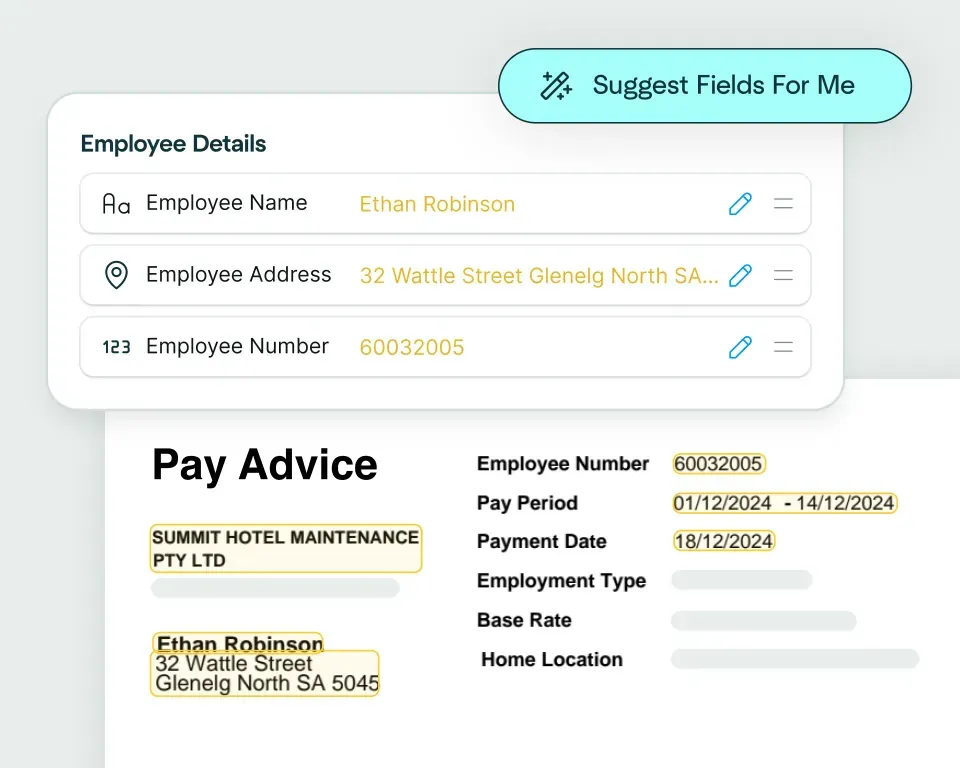
Create models in seconds
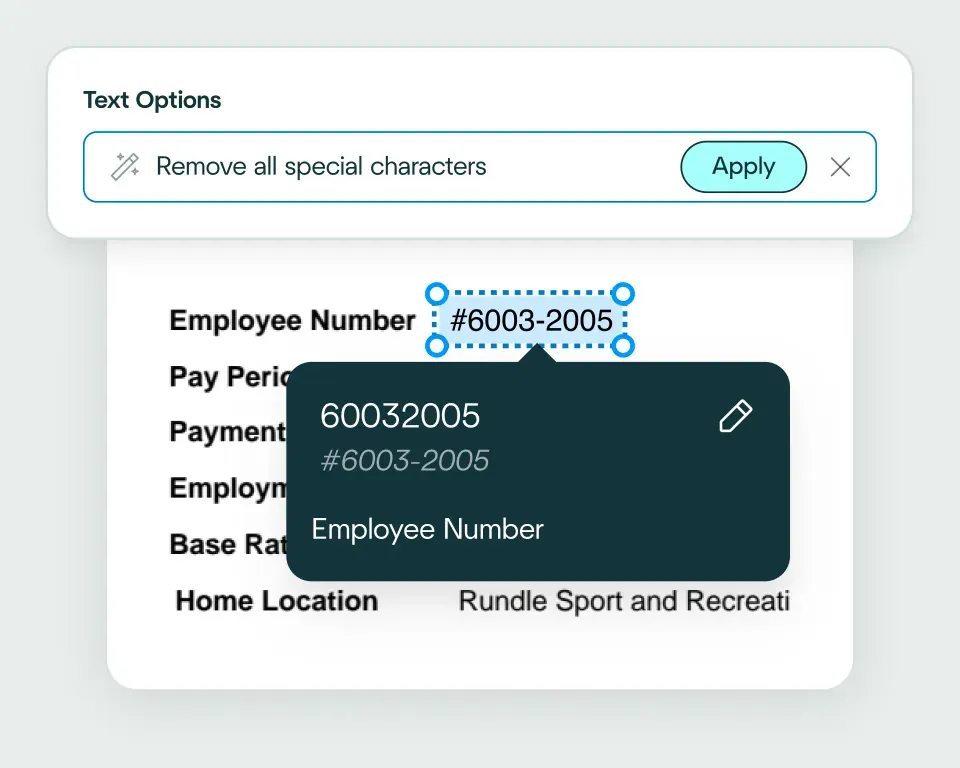
Validate and transform data
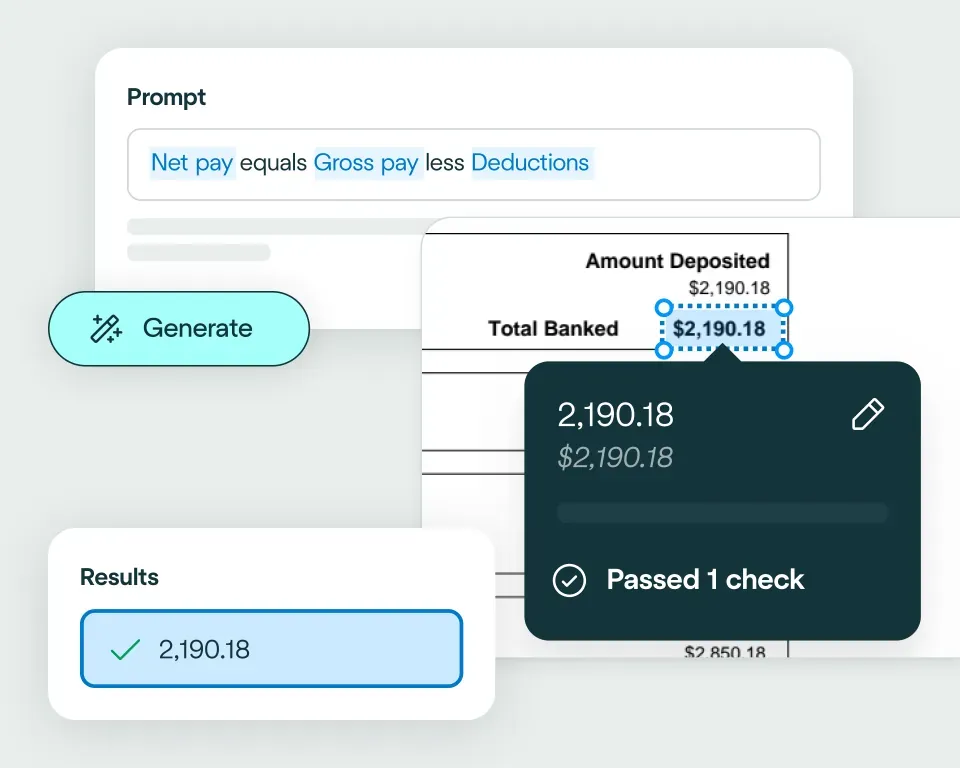
Apply your business logic
Pathway 1: Use the Agent
Pathway 2: Write your own code
No need to talk to sales. Get started now
Sign up for free
Set up your integration
Start processing


reduction in manual work
more invoices processed with no added staff
Enhanced auditability and tracking of invoice approvals


proof of delivery documents processed annually
of documents straight-through processed in the first weeks
Automatic validation of documents against ERP system


High accuracy parsing across multiple languages
Improved customer experience thanks to better structured data
Stronger compliance with international data security and software standards


documents processed annually
different document types
time saved in reviewing invoices


reduction in manual data input
reduction in compliance data errors
compliance documents processed annually
Combine the best of artificial and human intelligence

Frequently asked questions
Does Affinda integrate with Dropbox?
Yes. Affinda's integration with Dropbox connects your document processing directly to your storage workflows. It automatically extracts, structures and organizes data from invoices, contracts, HR documents and project files - then stores everything in searchable Dropbox folders with the right metadata and tags. With Affinda, you can organize files faster, eliminate manual filing and maintain complete control over your document repository through a single, automated workflow.
How does the Affinda-Dropbox integration work?
Affinda's intelligent document processing reads any document from any source (email, upload or API) and instantly extracts structured data such as supplier details, contract terms, employee credentials and project metadata.
Once validated, this data is automatically organized and stored in Dropbox folders with the right file names, tags and metadata - making invoices, contracts and other documents searchable and easy to retrieve.
You can also configure custom folder structures, file naming conventions and validation rules using natural language - ensuring every document lands exactly where it should.
What types of documents can Affinda process and send to Dropbox?
Affinda can process and organize any document type in Dropbox, including:
- Invoices and receipts
- Contracts and agreements
- HR documents such as onboarding forms, resumes and certifications
- Project files, reports and deliverables
It handles both digital and scanned documents, using advanced OCR and AI to extract data with more than 99% accuracy - regardless of format, layout or language.
Do I need to manually upload files to Dropbox?
No. Affinda fully automates the upload process through APIs and integrations. You have three ways to send documents to Affinda:
- Drag and drop files directly into your Affinda workspace
- Forward documents via email manually or set up automatic forwarding
- Integrate your document source through APIs or cloud storage platforms
Once received, Affinda automatically extracts and validates your data - then organizes everything in Dropbox folders with the right structure, file names and metadata.
Can I define my own validation and business rules?
Yes. Affinda lets you configure custom validation and business logic before any document is stored in Dropbox.
For example, you can set rules to:
- Prevent duplicate files from being saved to the same folder
- Verify that contract renewal dates are present before archiving agreements
- Ensure invoice totals are within expected ranges for specific suppliers
These checks help keep your Dropbox organized, prevent clutter and ensure every file is properly tagged and ready to find when you need it.
Can Affinda handle bulk contract uploads for Dropbox?
Yes. Affinda handles bulk uploads with ease. Whether you're processing a dozen contracts or hundreds at once, Affinda extracts key metadata - parties, dates, contract values and renewal terms - then automatically organizes everything in structured Dropbox folders with the right tags and file names.
This makes it ideal for legal teams, consulting firms and businesses managing large contract portfolios who need fast, accurate document organization without manual filing.
How fast can I get started with the Dropbox integration?
You can start processing documents into Dropbox in minutes. Affinda's integration is straightforward:
- Connect your Dropbox account securely
- Configure your folder structure and file naming conventions using natural language
- Upload your first document and watch it automatically extract, organize and store
Most users are processing live documents within the first hour. And because there's no credit card required to start, you can test the full integration risk-free before committing.
Is my financial data secure when using Affinda with Dropbox?
Absolutely. Affinda follows security standards including ISO 27001:2022, SOC 2 and GDPR for security and compliance. Data is encrypted in transit and at rest, with strict role-based access controls and full audit logging. You can also select region-specific data storage to meet your organization's compliance and data residency requirements.
What are the main benefits of integrating Affinda with Dropbox?
By integrating Affinda with Dropbox, you can:
- Eliminate manual filing and reduce time spent organizing documents
- Create a centralized, searchable repository for all business documents
- Improve compliance tracking with automated metadata and tagging
- Enable faster document retrieval and better team collaboration
- Maintain complete visibility over document status and storage structure