Automate document processing into Salesforce


Get data from your documents into Salesforce

Lead capture
Automatically extract lead data from business cards, forms and email signatures to create or update Leads and Contacts in Salesforce - with duplicate checking, faster data entry and improved conversion rates.
Contracts and proposals
Extract contract data including client details, values and terms from proposals and agreements to update Opportunities in Salesforce, trigger follow-up tasks and accelerate deal closure.
Invoice processing
Extract invoice data including customer details, amounts and due dates to update Account records in Salesforce and improve AR tracking, customer follow-up and unified visibility.
Support tickets
Extract customer details, serial numbers and issue descriptions from support requests to create Cases in Salesforce Service Cloud, route to the right teams and improve response times and customer satisfaction.
How to automate document processing into Salesforce
Automatically send your documents to Affinda
AI agents extract and validate key data fields
See your data appear in Salesforce
Extract any information from any document, fast
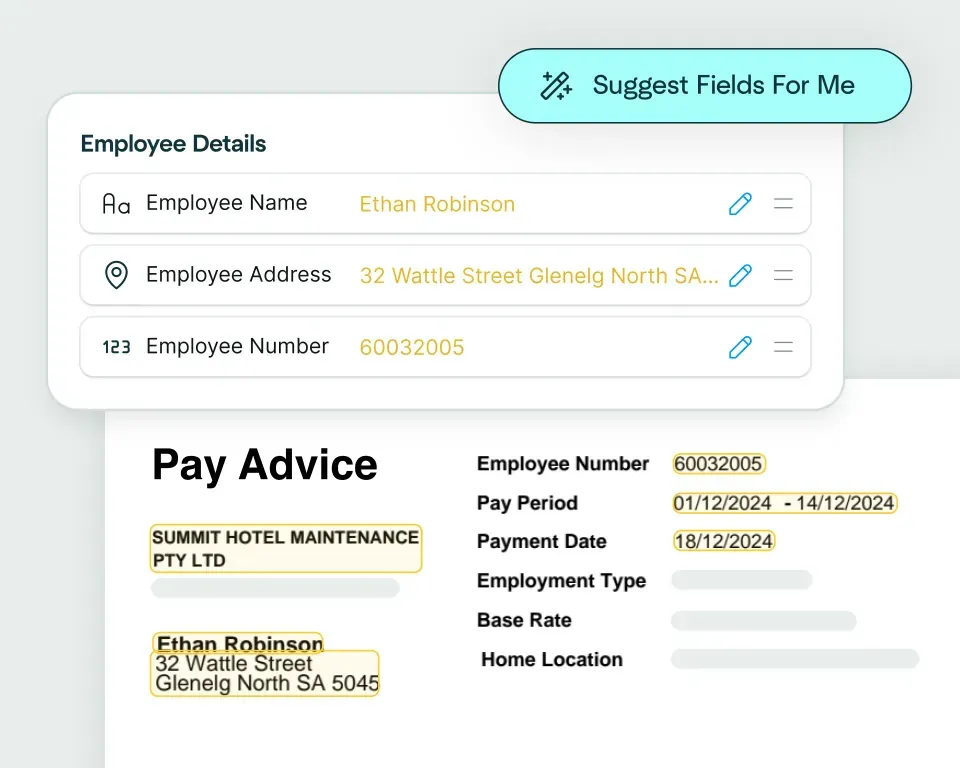
Create models in seconds
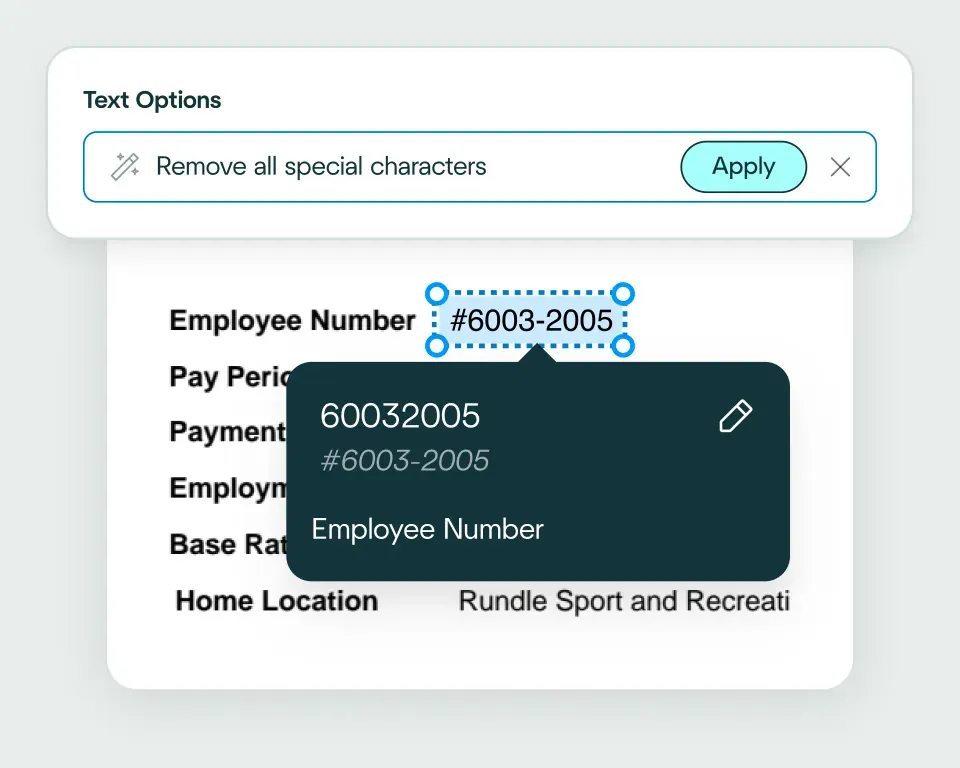
Validate and transform data
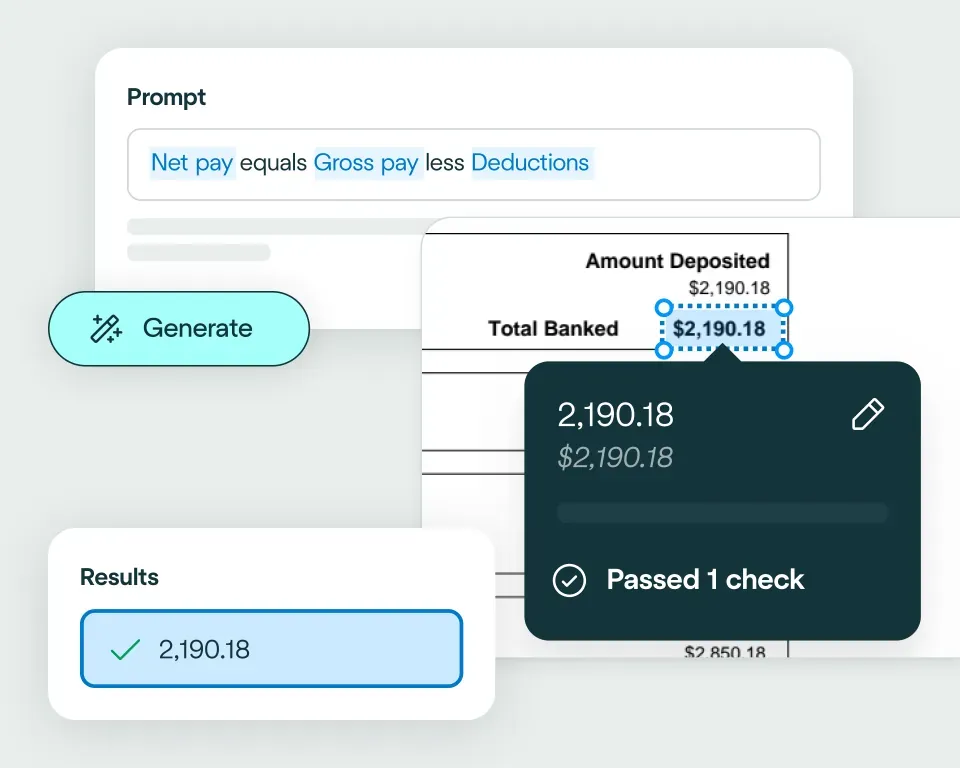
Apply your business logic
Pathway 1: Use the Agent
Pathway 2: Write your own code
No need to talk to sales. Get started now
Sign up for free
Set up your integration
Start processing


reduction in manual work
more invoices processed with no added staff
Enhanced auditability and tracking of invoice approvals


proof of delivery documents processed annually
of documents straight-through processed in the first weeks
Automatic validation of documents against ERP system


High accuracy parsing across multiple languages
Improved customer experience thanks to better structured data
Stronger compliance with international data security and software standards


documents processed annually
different document types
time saved in reviewing invoices


reduction in manual data input
reduction in compliance data errors
compliance documents processed annually
Combine the best of artificial and human intelligence

Frequently asked questions
Does Affinda integrate with Salesforce?
Yes. Affinda integrates directly with Salesforce to automate document processing across your CRM workflows. It extracts, validates and syncs data from business cards, lead forms, contracts, invoices and support tickets straight into Salesforce - automatically creating or updating Leads, Opportunities, Accounts and Cases.With Affinda, you can import data into Salesforce faster, eliminate manual entry errors and maintain a unified view of your customer relationships through seamless data integration that works with your existing setup.
How does the Affinda-Salesforce integration work?
Affinda extracts structured data from any document you send - whether through email, direct upload or API - capturing details like contact information, contract terms, invoice amounts and support ticket data.
This validated data automatically flows into Salesforce, creating or updating Leads and Contacts from business cards, linking contracts to Opportunities, syncing invoices to Account records or generating Cases from support requests.
You can set custom rules too - like duplicate checking for leads, auto-routing cases to specific teams or triggering follow-up tasks when contracts are processed.
What types of documents can Affinda process and send to Salesforce?
Affinda processes any document type relevant to your Salesforce workflows, including:
- Business cards, lead forms and email signatures
- Contracts, proposals and agreements
- Invoices and receipts
- Support tickets, warranty documents and issue reports
It handles both digital files and scanned documents across any format or layout, using advanced AI and OCR to deliver over 99% accuracy when extracting data for Salesforce.
Do I need to manually upload files to Salesforce?
No. Affinda offers flexible options to eliminate manual uploads. You can choose how documents reach the platform:
- Upload files directly to your Affinda workspace
- Forward documents via email or configure automatic email forwarding
- Integrate via API or connect cloud storage for full automation
Once your documents arrive, Affinda automatically extracts and validates the data, then sends it straight into Salesforce - creating or updating records without any manual intervention.
Can I define my own validation and business rules?
Yes. Affinda lets you set custom validation rules and business logic before any data reaches Salesforce.
For example, you can configure rules to:
- Verify contract values match expected ranges
- Validate invoice amounts against purchase orders
- Check that lead data includes required fields
- Ensure support ticket details meet case creation requirements
These checks keep your Salesforce data clean, accurate and ready to drive better business decisions.
Can Affinda handle bulk business card uploads for Salesforce?
Yes. Affinda handles bulk business card processing with ease. Whether you're uploading a handful of cards from a meeting or hundreds from a conference, Affinda extracts contact details and automatically creates or updates Leads and Contacts in Salesforce.
This makes it perfect for sales teams attending events, marketing teams processing lead forms at scale or any organization looking to speed up lead capture and improve data quality across their CRM.
How fast can I get started with the Salesforce integration?
You can be up and running in under an hour. Affinda's flexible Salesforce integration lets you:
- Authenticate securely via Salesforce OAuth
- Map your document fields to Salesforce objects (like Leads, Contacts, Opportunities, Cases or Accounts)
- Start processing documents right away
For enterprise teams, Affinda also offers sandbox environments and API access for deeper customization and integration with your existing tech stack.
Is my financial data secure when using Affinda with Salesforce?
Absolutely. Affinda follows security standards including ISO 27001:2022, SOC 2 and GDPR for security and compliance. Data is encrypted in transit and at rest, with strict role-based access controls and full audit logging. You can also select region-specific data storage to meet your organization's compliance and data residency requirements.
What are the main benefits of integrating Affinda with Salesforce?
By integrating Affinda with Salesforce, you can:
- Eliminate manual data entry and improve CRM data quality
- Accelerate lead capture and boost conversion rates
- Speed up contract processing and close deals faster
- Automate invoice tracking for better customer visibility
- Reduce support ticket response times and improve customer satisfaction
- Create a fully automated document processing workflow across your CRM