Automate document processing into Slack


Get data from your documents into your Slack workflows

Invoice approvals
Extract invoice data - supplier, amount, due date - and post summaries with approval links directly to Slack channels for faster processing and better team visibility.
Contract renewal alerts
Extract contract metadata - parties, renewal dates, contract value - and send automated reminders and review tasks to Slack channels to prevent missed renewals and improve compliance.
Support ticket creation
Extract customer details, issue descriptions and attachments from support requests to create or update Slack threads automatically - improving response times and service quality.
HR onboarding notifications
Extract employee name, position and start date from onboarding forms and resumes, then notify HR teams and managers in Slack channels automatically - streamlining onboarding workflows and improving team coordination.
How to automate document processing into Slack
Automatically send your documents to Affinda
AI agents extract and validate key data fields
See your data appear in your Slack workflows
Extract any information from any document, fast
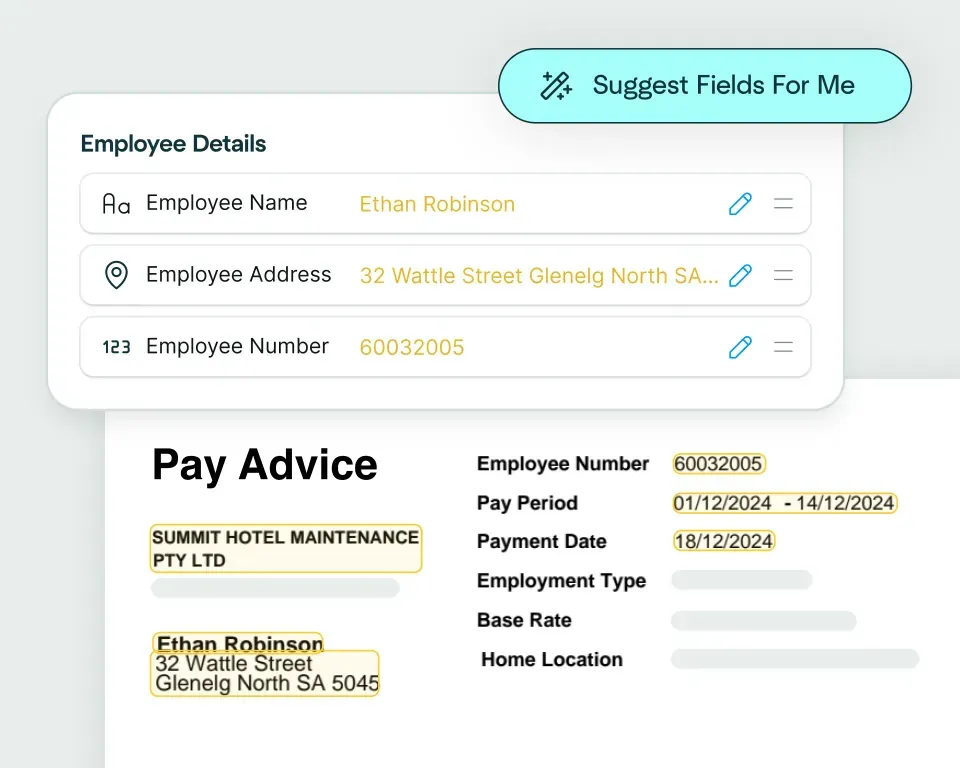
Create models in seconds
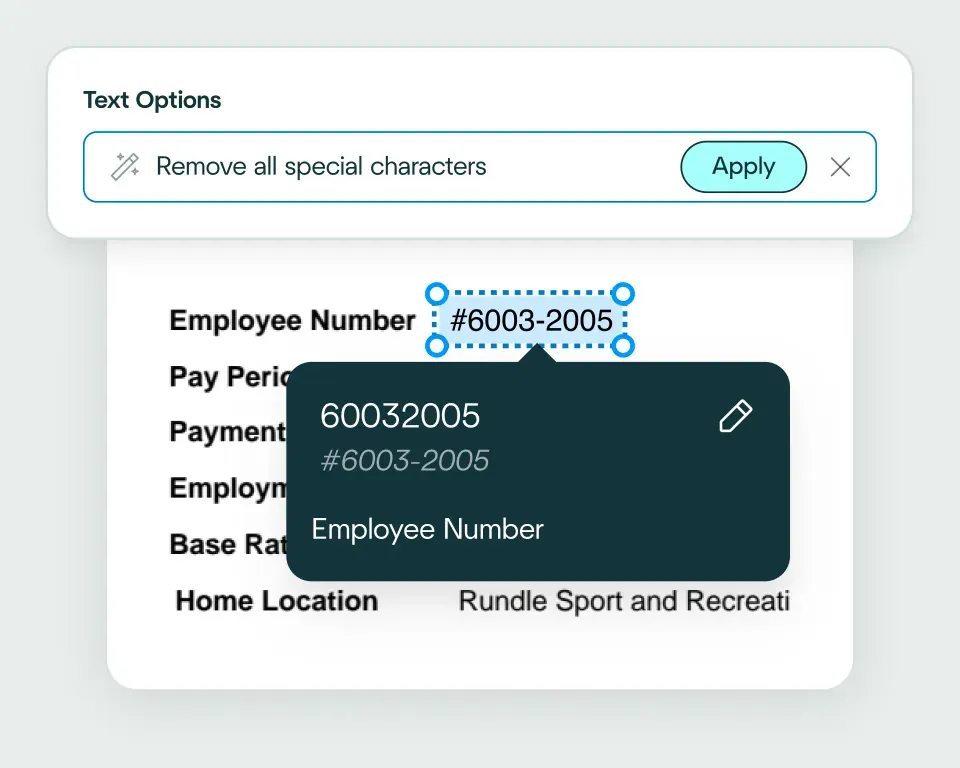
Validate and transform data
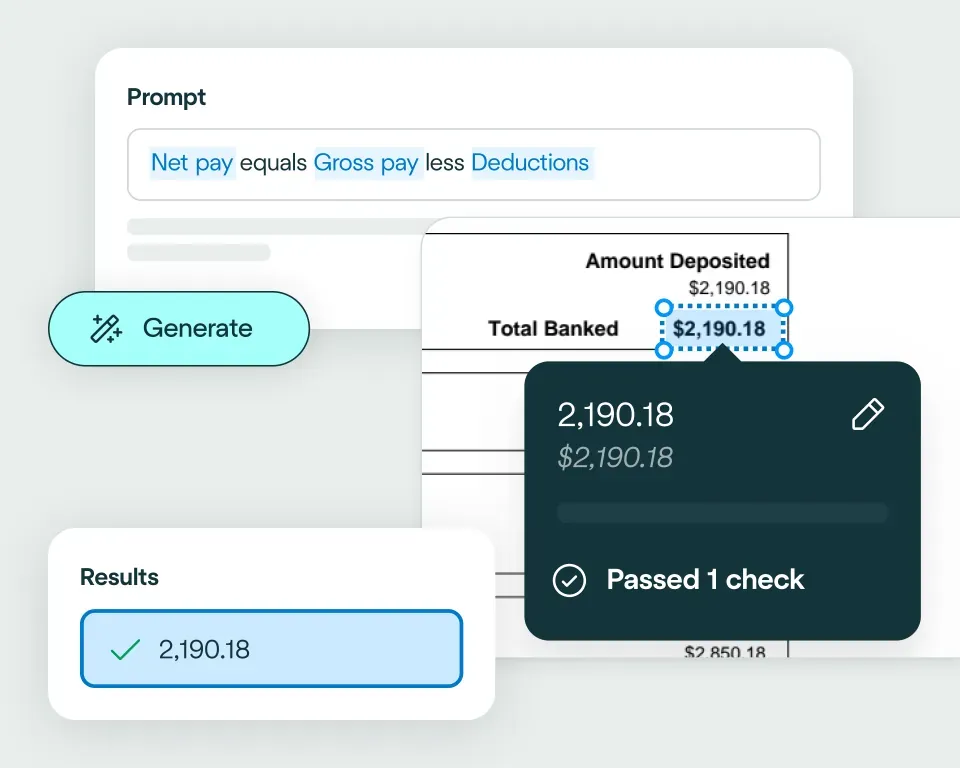
Apply your business logic
Pathway 1: Use the Agent
Pathway 2: Write your own code
No need to talk to sales. Get started now
Sign up for free
Set up your integration
Start processing


reduction in manual work
more invoices processed with no added staff
Enhanced auditability and tracking of invoice approvals


proof of delivery documents processed annually
of documents straight-through processed in the first weeks
Automatic validation of documents against ERP system


High accuracy parsing across multiple languages
Improved customer experience thanks to better structured data
Stronger compliance with international data security and software standards


documents processed annually
different document types
time saved in reviewing invoices


reduction in manual data input
reduction in compliance data errors
compliance documents processed annually
Combine the best of artificial and human intelligence

Frequently asked questions
Does Affinda integrate with Slack?
Yes. Affinda's integration with Slack connects your document processing directly to your team communication workflows. It automatically extracts, validates and sends data from invoices, contracts, support tickets and HR forms straight into your Slack channels.With Affinda, you can notify teams faster, reduce manual updates and keep everyone aligned by automating document workflows right where your team already works.
How does the Affinda-Slack integration work?
Affinda's intelligent document processing reads any document from any source (upload, email or API) and instantly extracts structured data such as invoice amounts, contract renewal dates, employee details and support ticket information.
Once validated, this data is automatically formatted and posted to your designated Slack channels as messages, notifications or threaded updates - whether that's invoice approval summaries, contract renewal alerts or onboarding notifications.
You can also configure custom workflows, such as routing high-value invoices to specific channels or triggering @mentions for urgent items that need immediate attention.
What types of documents can Affinda process and send to Slack?
Affinda can process and send data from any document type to Slack, including:
- Invoices, receipts and purchase orders
- Contracts, agreements and renewal notices
- Support tickets and issue reports
- HR forms, resumes and onboarding documents
- Project updates and internal reports
Whether your documents are digital PDFs or scanned images, Affinda's AI-powered document parser handles them all - achieving over 99% accuracy across multiple formats and languages.
Do I need to manually upload files to Slack?
No. With Affinda, document ingestion can be fully automated through our APIs. To get your documents to Affinda, you have three flexible options:
- Drag and drop documents into your Affinda workspace
- Forward documents via email manually or set up automatic email forwarding
- Connect your document source through API or third-party cloud storage integration
Once received, data is automatically extracted, validated and posted directly to your Slack channels - formatted as notifications, messages or threaded updates ready for your team.
Can I define my own validation and business rules?
Yes. Affinda lets you apply custom validation and business logic before any data is posted to Slack.
For example, you can set rules to:
- Flag duplicate invoices before they reach approval channels
- Verify amounts exceed thresholds before notifying managers
- Ensure contract dates trigger alerts at the right intervals
- Validate employee information is complete before onboarding notifications
These checks ensure every Slack notification is accurate, relevant and ready for action.
Can Affinda handle bulk invoice uploads for Slack?
Yes. Affinda processes bulk invoice uploads efficiently, extracting data from hundreds or thousands of invoices and automatically posting summaries to your designated Slack channels.
Whether you're processing month-end batches, quarterly reconciliations or daily invoice flows, Affinda maintains over 99% accuracy at scale. You can upload invoices in bulk via API, email forwarding or drag-and-drop - and every invoice is processed, validated and formatted for Slack automatically.
This means your team receives organized, actionable notifications for every invoice without manual data entry, regardless of volume. Perfect for finance teams managing high invoice volumes who need fast approvals and clear visibility across Slack channels.
How fast can I get started with the Slack integration?
You can start sending document data to Slack in minutes. Affinda's Slack integration is straightforward to set up:
- Connect your Slack workspace securely through OAuth
- Choose which channels receive notifications and updates
- Configure your document workflows and data formatting
- Begin processing documents and posting to Slack immediately
For teams needing deeper customization, Affinda also provides API access and webhook options to build tailored notification workflows.
Is my financial data secure when using Affinda with Slack?
Absolutely. Affinda follows security standards including ISO 27001:2022, SOC 2 and GDPR for security and compliance. Data is encrypted in transit and at rest, with strict role-based access controls and full audit logging. You can also select region-specific data storage to meet your organization's compliance and data residency requirements.
What are the main benefits of integrating Affinda with Slack?
By integrating Affinda with Slack, you can:
- Eliminate manual updates and keep teams informed automatically
- Speed up approvals and reduce response times across workflows
- Prevent missed renewals and improve compliance with automated alerts
- Centralize document notifications where your team already collaborates
- Free your team to focus on decisions and actions, not data entry